
GPT-6.1 Workspace: AI Chat Assistant
GPT-6.1 Workspace: AI Chat Assistant is a free AI assistant for the Google Chrome browser. It opens in Chrome's side panel, so you can chat with AI on any website, get help replying to emails in Gmail and work faster in Google Docs, Sheets and Slides.
This website is public — no account or login is needed to read it. Connecting a Google account inside the extension is optional. Developer: Tamara Lapatavenia.
What is GPT-6.1 Workspace: AI Chat Assistant?
GPT-6.1 Workspace: AI Chat Assistant (short name: GPT-6.1 Workspace) is a browser extension for Google Chrome, published in the Chrome Web Store by Tamara Lapatavenia. Its purpose is to give you an AI assistant right next to the page you are working on, so you don't have to copy and paste between tabs.
You can ask questions, summarize or translate the page you are reading, draft replies in Gmail, and improve text, tables and slides. If you choose to connect your Google account, the assistant can also write the changes you ask for directly into the Google Sheets, Docs or Slides file you have open — only when you ask, and every change can be undone.
Features
One assistant for Chrome and the apps you use every day.
AI chat in the side panel
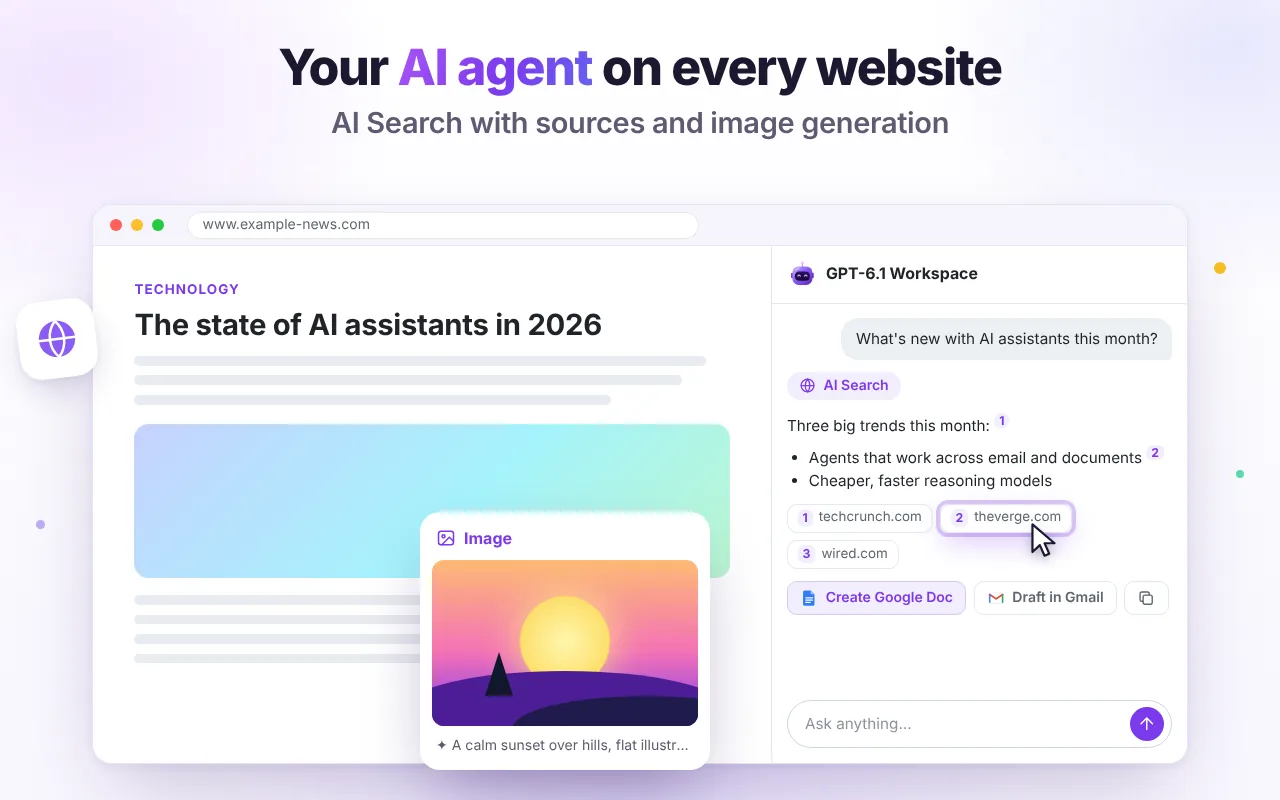
Ask anything: explain a topic, write code, brainstorm, plan or translate. Summarize the page you're reading, attach PDFs, files and screenshots, use voice input, create custom assistants and open the chat full-screen.
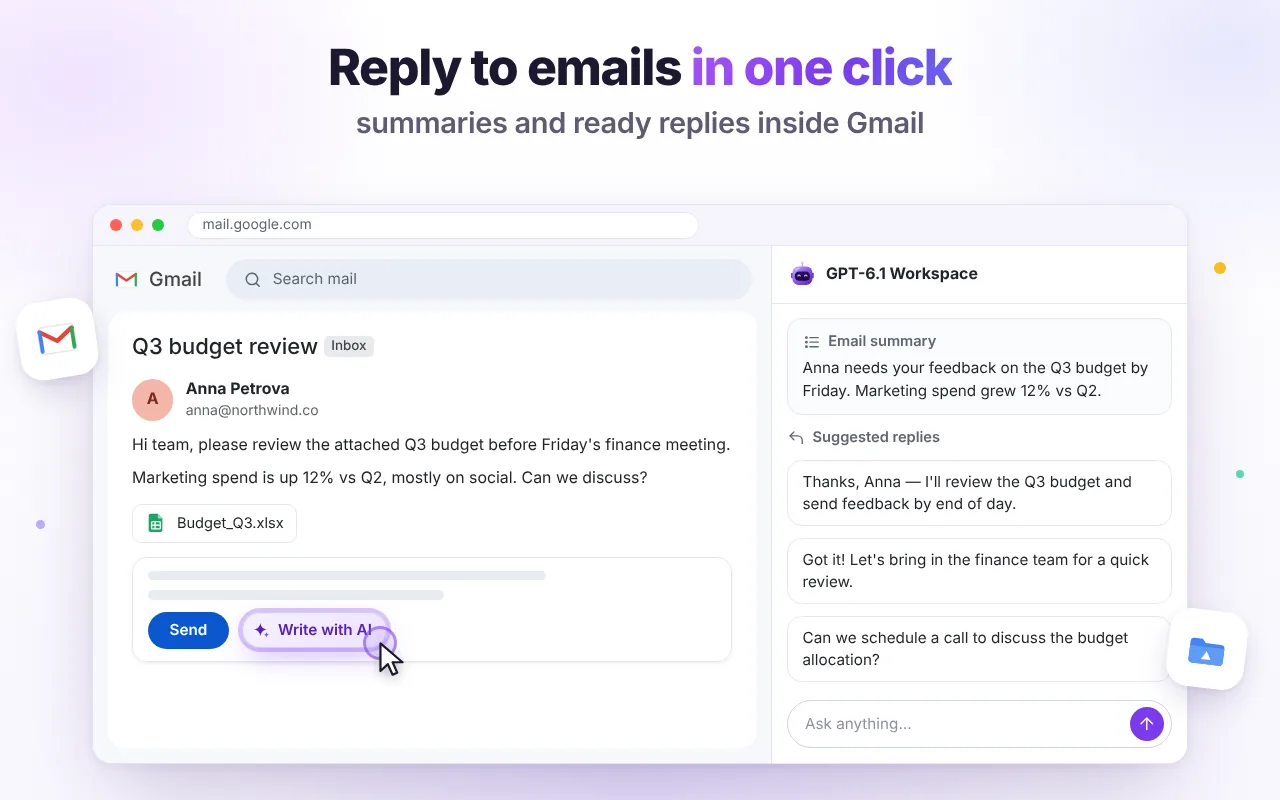
Gmail replies and summaries
A “Write with AI” button sits next to Send. Get a thread summary, pick a suggested reply, adjust the tone and insert it into your draft. You review and send the email yourself.
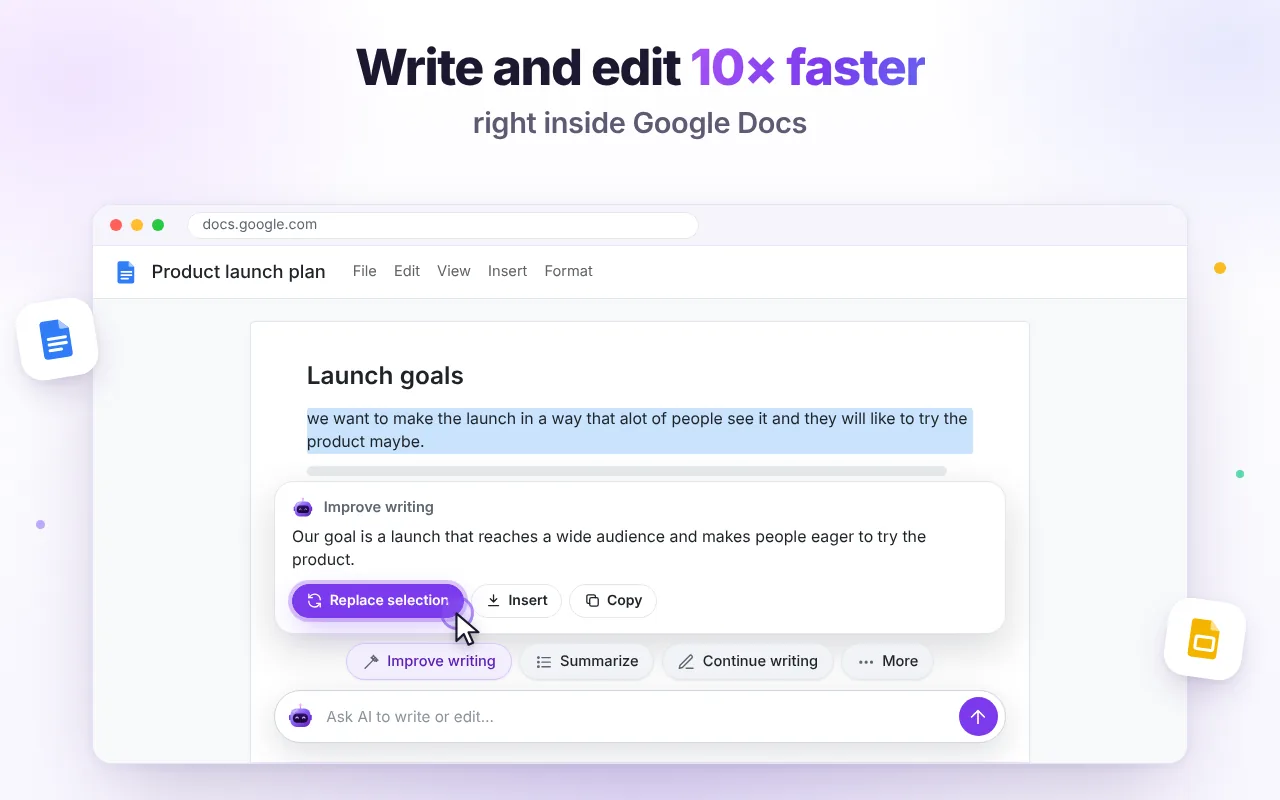
Writing help in Google Docs
Select a paragraph to improve it, continue writing, summarize or translate. Replace the selection or insert the result below — without copy-paste.
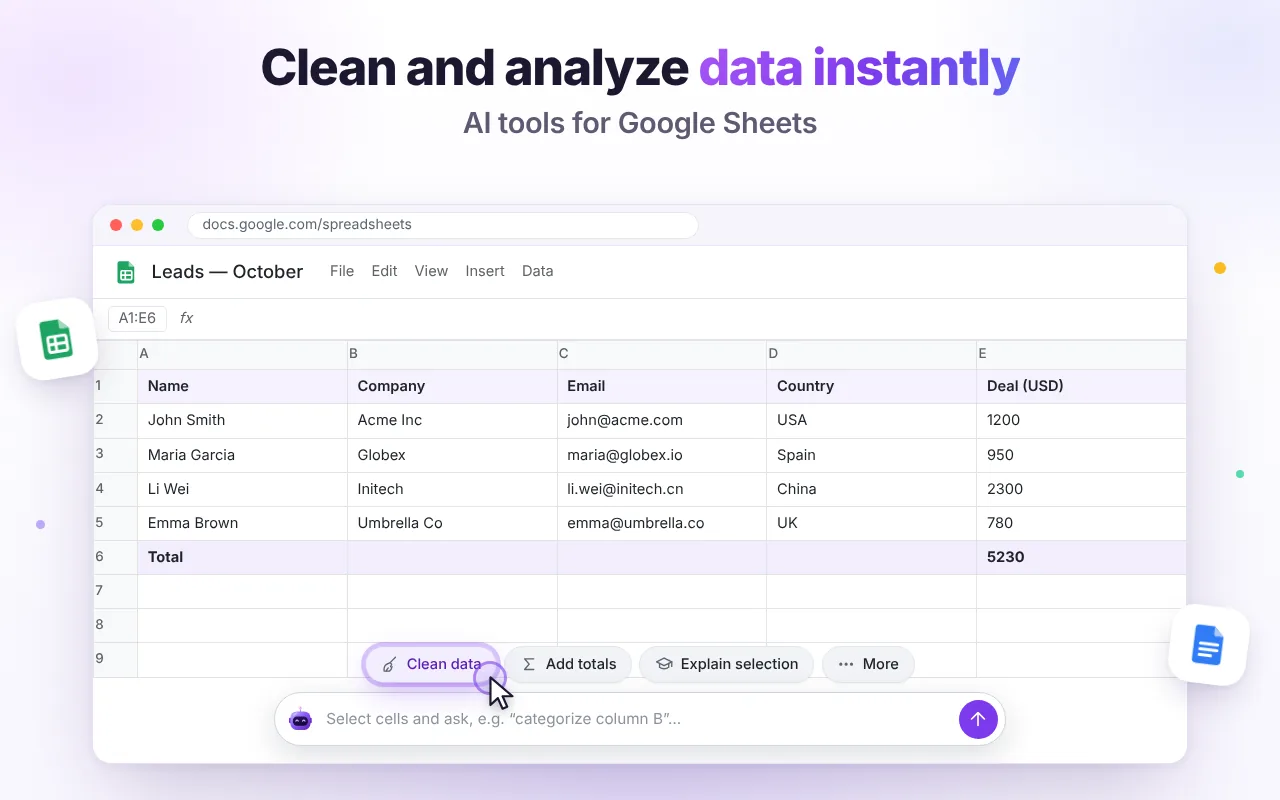
Data help in Google Sheets
Clean messy rows, add totals, explain formulas and build tables with formulas for the spreadsheet you have open.
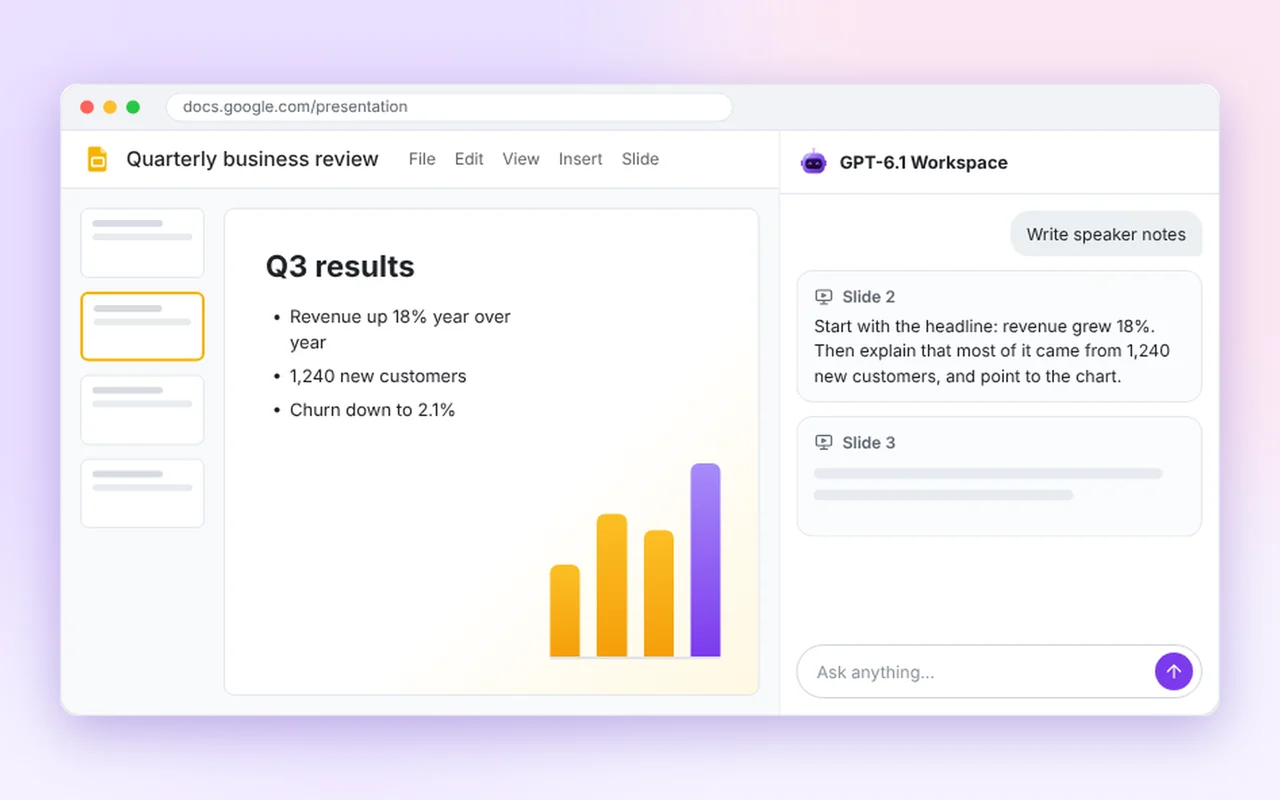
Google Slides assistant
Summarize a deck slide by slide, write natural speaker notes and get ideas for slides that are missing.
AI Search and images
Fresh answers from the web with clickable sources, plus image generation in 1:1, 16:9 and 9:16 formats.
Screens from the extension
How GPT-6.1 Workspace looks in Gmail, Google Docs, Google Sheets and Google Slides.
How it works
Start in under a minute.
Add it to Chrome
Install GPT-6.1 Workspace: AI Chat Assistant from the Chrome Web Store and pin it to the toolbar.
Open the side panel
On any tab — Gmail, a Google Doc, a sheet, a slide deck or any website — press Alt+Shift+G or click the extension icon.
Ask or click an action
Summarize, reply, rewrite, translate or analyze, then insert the result where you are working.
Optional: connect Google
Only if you want the AI to edit your Sheets, Docs and Slides directly. You can disconnect at any time.
How GPT-6.1 Workspace: AI Chat Assistant uses your Google account
Connecting a Google account is optional. AI chat, AI Search, image generation and the Gmail tools work without it. It is only needed if you want GPT-6.1 Workspace to write changes directly into your Google Sheets, Docs and Slides. When you click “Connect Google” in the extension, Google shows a consent screen and asks you to allow the following access:
| Permission shown by Google | Scope | Why GPT-6.1 Workspace needs it |
|---|---|---|
| See your email address | userinfo.email | To show which Google account is connected. |
| See, edit, create and delete your Google Sheets spreadsheets | spreadsheets | To read the spreadsheet you have open and write the values, formulas and formatting you asked for. |
| See, edit, create and delete your Google Docs documents | documents | To read the document you have open and write the text changes you asked for. |
| See, edit, create and delete your Google Slides presentations | presentations | To read the presentation you have open and change slide text or add the slides you asked for. |
- Access is used only when you ask for an edit, and only for the single file open in your browser tab.
- The extension never reads your files in the background and never lists or searches your Google Drive.
- Your Google access token and email address stay in your browser. The token is sent only to Google.
- To prepare an edit, the content of the open file and your request are sent over HTTPS to our server and our AI provider (OpenRouter, routing to OpenAI). The content is processed in memory and is not stored.
- Google user data is not sold, not used for advertising and not used to train AI models.
- You see what was changed and can undo it with one click. You can disconnect Google at any time in the extension menu or at myaccount.google.com/permissions.
GPT-6.1 Workspace: AI Chat Assistant's use and transfer of information received from Google APIs to any other app will adhere to the Google API Services User Data Policy, including the Limited Use requirements.
Full details are in our Privacy Policy.
Price
GPT-6.1 Workspace: AI Chat Assistant is free. No subscription, no credit card and no API key.
Free plan
Everything included. Fair daily limits keep the service fast for everyone.
AI messages per day
Each question or one-click action counts as one message. Limits reset at 00:00 UTC.
Images per day
Each image generation counts as one image. If paid plans are ever added, nothing will be charged without your explicit purchase.
Responsible use
GPT-6.1 Workspace is a productivity tool for writing, data and presentations. It must not be used to create sexual or intimate imagery of real people, non-consensual intimate imagery (NCII) or any other illegal or harmful content; such requests are blocked and prohibited by our Terms of Use. Google APIs are used only to edit the user's own Sheets, Docs and Slides at their request.
Frequently asked questions
Is GPT-6.1 Workspace: AI Chat Assistant free?
Yes. There is no subscription and no payment. Each install gets 60 AI messages and 10 generated images per day, reset at midnight UTC.
Do I need to connect my Google account?
Only if you want the AI to edit your files. Chat, AI Search, images and the Gmail tools work without it. To let GPT-6.1 Workspace write values, formulas and text straight into Google Sheets, Docs and Slides, connect Google once and allow access. It works only on the file you have open, only when you ask, and every change can be undone.
Is this ChatGPT?
No. GPT-6.1 Workspace: AI Chat Assistant is an independent Chrome extension. It uses OpenAI GPT-6.1 models through an API, but it is not made by OpenAI and is not the ChatGPT app.
What happens to my emails and documents?
Only the content you choose to include is sent to our server and the AI provider to generate the answer. We don't store it, don't sell it and don't use it for ads. Your chat history stays in your browser. Details are in the Privacy Policy.
Which languages does it support?
The interface is available in English, Russian, Spanish, Portuguese, French, Italian, German, Hindi, Japanese and Chinese, and the AI answers in the language you write in.
Developer and contact
- App
- GPT-6.1 Workspace: AI Chat Assistant (Chrome extension)
- Developer
- Tamara Lapatavenia
- tamaralapatovene@gmail.com
- Chrome Web Store
- GPT-6.1 Workspace: AI Chat Assistant
- Website
- gpt-workspace-ai.com
- Legal
- Privacy Policy · Terms of Use